

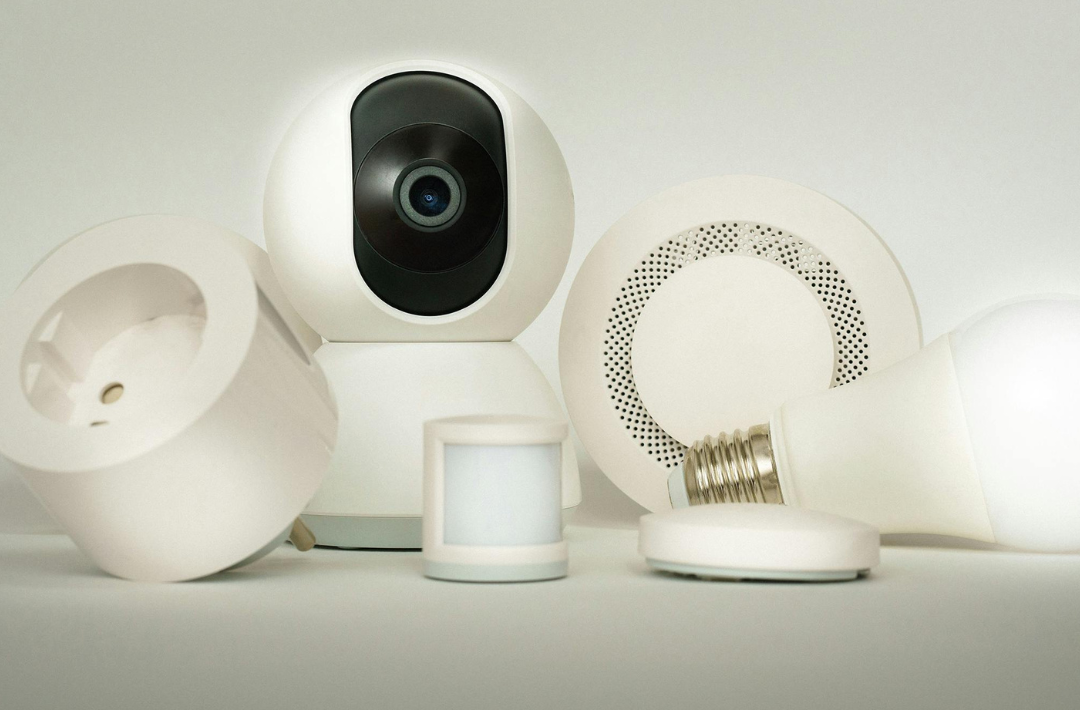
In today’s world, ensuring the safety of one’s home has become increasingly vital. Many individuals are turning to the best DIY home security systems, which offer a cost-effective and customizable way to protect their properties. Unlike traditional security services, these systems allow homeowners to tailor their solutions to meet specific needs.
With a wide array of devices available, from smart cameras to motion sensors, DIY home security empowers users to maintain control over their security setup. This flexibility helps to enhance peace of mind, knowing that they can monitor their home at any time, from anywhere.
Choosing the right components can be overwhelming; however, understanding the options available can lead to an efficient and effective security solution. Exploring these possibilities ensures that one’s home remains a safe haven.
Evaluating DIY Home Security Systems
When selecting a DIY home security system, it is crucial to consider various factors that impact safety, usability, and technology integration. Key elements include core features, ease of installation, and comparisons among the top systems available. Each component plays a significant role in ensuring effective home protection.
Core Features and Technology
Core features typically include motion sensors, video surveillance, and door/window sensors. Smart home integration options enhance these features by connecting systems with platforms like Amazon Alexa, Google Assistant, and Apple HomeKit.
For instance, devices such as the Ring Alarm and Abode offer robust connectivity and allow users to monitor their homes remotely. Additionally, features such as video doorbells provide real-time surveillance, alerting homeowners to activity at their doors.
Technologies like Z-Wave enable devices to communicate seamlessly within a smart home ecosystem. This interconnectedness is essential for effective alert systems and automation, like lights turning on when motion is detected.
Installation and Ease of Use
Ease of installation is a significant factor in choosing a DIY system. Most products, including SimpliSafe and Nest, offer user-friendly setups that typically do not require professional assistance.
Many systems provide clear instructions and pre-configured devices, allowing users to get started quickly. For example, mounting cameras or sensors and connecting them to the home Wi-Fi can usually be accomplished within an hour.
User interfaces are also a priority for many brands. Apps provided by companies like Vivint and Ring facilitate smooth management of settings, notifications, and real-time monitoring. The degree of ease greatly impacts consumer satisfaction and system effectiveness.
Comparison of Top DIY Systems
When comparing top DIY home security systems, consider brands like Ring, SimpliSafe, and Vivint. Each offers unique features, price points, and integrations.
Comparison Table:
| Brand | Key Features | Smart Home Integration | Price Range |
| Ring | Video doorbells, motion sensors | Amazon Alexa, Google Assistant | $199 – $499 |
| Simplisafe | Intruder alarm, environmental sensors | None | $229 – $489 |
| Vivint | Professional monitoring, high-quality cameras | Google Assistant, HomeKit | $599 – $1,499 |
Users should weigh individual needs against available features. The right choice will depend on budget, required features, and desired technology compatibility.
Monitoring and Notifications
Effective monitoring and timely notifications are crucial elements of any DIY home security system. They ensure that homeowners stay informed about potential security threats and can react promptly.
Self-Monitoring Versus Professional Monitoring
In self-monitoring, the homeowner takes on the responsibility of monitoring their security system. They use mobile apps to receive alerts from sensors and cameras. This method typically incurs no monthly fees or contracts. However, it requires active engagement.
Professional monitoring, on the other hand, involves a third-party service that monitors the security system 24/7. This option usually comes with a monthly fee and a contract. In exchange, homeowners benefit from immediate response protocols. Professional monitoring is ideal for those who prefer peace of mind, knowing that they are safeguarded even when away from home.
Customizing Alerts and Notifications
Customizing notifications allows homeowners to tailor their security systems to their specific needs. Users should prioritize alerts from key components, such as doors, windows, and motion sensors.
Options may include push notifications, text messages, or emails. Many systems allow for customized alert thresholds. For instance, a homeowner might set notifications for temperature changes or camera activity.
Creating different notification types helps in distinguishing between urgent security alerts and non-critical updates. This personalization enhances the user experience, ensuring that alerts are meaningful and timely.
Cost and Value Considerations
Selecting a DIY home security system necessitates careful analysis of costs and the value they provide. Budgeting effectively can lead to long-term savings, while understanding subscriptions and product packages can enhance security without overspending.
Budgeting for a Home Security System
When budgeting for a home security system, it’s crucial to consider both upfront and ongoing costs. A starter kit typically ranges from $200 to $500, depending on the components included, such as cameras, alarms, and sensors. Additional equipment can add $50 to $150 per unit.
Homeowners should also factor in the potential costs of professional installation. While many systems offer DIY setups, hiring a professional may incur fees of $100 to $300. Setting aside a budget for unexpected expenses, like equipment upgrades or replacements, ensures a comprehensive approach to home security.
Understanding Subscription and Fees
Most DIY home security systems come with optional subscription plans that can significantly affect overall costs. Basic monitoring plans usually range from $10 to $30 per month, providing essential features like mobile alerts and remote access.
Premium plans may offer advanced features, such as video storage and enhanced monitoring, costing between $30 and $60 per month. It’s essential to assess which features are necessary, balancing affordability with functional security needs. Potential users should also compare not only the monthly costs but also any hidden fees, which can impact long-term budgets.
Maximizing Value with Smart Security Packages
Smart security packages often provide the most bang for the buck, integrating various devices like cameras, alarms, and smart locks. Bundled packages typically save users 10% to 30% compared to purchasing items individually.
Homeowners should explore options that combine equipment with subscription services for comprehensive monitoring solutions at a lower overall price. Companies frequently offer promotions or discounts for customers purchasing both the systems and ongoing monitoring together. Evaluating these options ensures better long-term value, aligning security needs with budget constraints while enhancing home safety.
Additional Considerations and Best Practices
When implementing a DIY home security system, it is critical to maintain privacy and manage false alarms effectively. These factors contribute significantly to the functionality and reliability of the security setup. Beyond the technology itself, though, it is worth remembering that a security system is only as strong as the physical entry points it is protecting.
In addition, outdated or poorly fitted windows and doors can undermine even the most sophisticated setup, which is where experienced professionals like Window and Doors Guys in Calgary or other trusted names in the areas nearby can help, offering quality window and door replacements that improve both security and energy efficiency at the same time.
Maintaining Privacy and Security
Privacy is paramount when using surveillance systems. They often employ features such as facial recognition technology, which can raise concerns about data misuse.
To ensure privacy:
- Limit Camera Placement: Position cameras in public areas, avoiding direct views into private spaces.
- Use Two-Factor Authentication: This adds an extra layer of security to online accounts related to the system.
- Secure Data Storage: Choose cloud services with strong encryption protocols to safeguard recorded footage.
Battery and cellular backup systems are also crucial. In case of power outages or internet disruptions, these features help maintain system functionality, ensuring continuous operation.
Handling False Alarms and Emergency Services
False alarms can lead to unnecessary panic and can strain relationships with emergency services. It is essential to minimize their occurrence effectively.
To handle false alarms:
- Invest in Reliable Sensors: High-quality motion detectors can reduce the likelihood of triggering false alerts.
- Regular System Testing: Frequent checks ensure sensors and cameras work as intended, helping identify issues early.
- Set Notification Preferences: Customize alert settings to prevent overwhelming notifications.
Establishing clear responses to alarms enables swift action. She recommended always informing local authorities about the security system to create a streamlined response protocol during an activation, ensuring resources are not wasted.
